A Practical Guide To Salesforce Cost Optimization
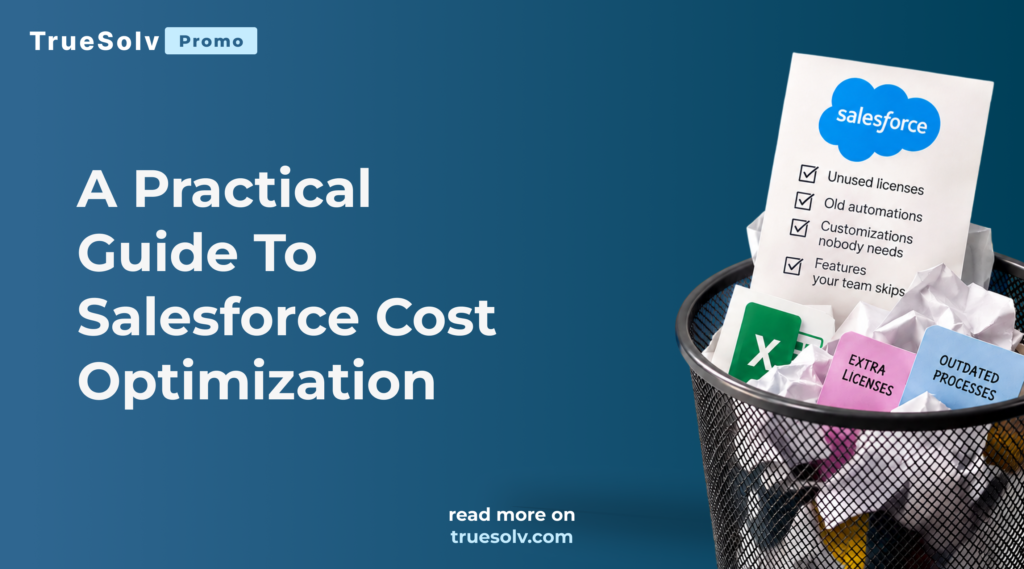
You’re paying for Salesforce. But are you paying for things nobody uses? Most companies can tell you exactly what Salesforce costs per year. Very few can tell you which part of that money actually works for them. Salesforce cost optimization does not start with cutting features or rebuilding your CRM. It starts with a simple look at what you pay for today and how much of it your team really uses. Over the years every org collects licenses for people who left, add ons from a project that ended, automations nobody remembers and storage full of old files. And somehow, the team is still working in Excel. This guide goes deeper than our LinkedIn post. You will find the six places where Salesforce budgets usually leak, a self check you can run in about an hour, and what a full cost review covers when you want a second pair of eyes. What is a Salesforce cost review? A Salesforce cost review is a structured look at your licenses, products, add ons, storage and customizations, compared with how your team actually uses Salesforce, that ends with a clear list of what to keep, what to change and what you can stop paying for. It is the practical side of Salesforce cost optimization. The goal is not to make Salesforce smaller. The goal is to make sure every dollar you spend supports work that people actually do, so the budget you save can go to the features your team is missing. A good review covers three layers. THREE LAYERS OF SALESFORCE COST What you pay Salesforce for User licenses, feature licenses, clouds, add ons, extra storage ON THE INVOICE What you pay to keep it running Managed packages, integration tools, support contracts, internal admin time PARTLY VISIBLE What it costs when it does not fit Manual work, duplicate tools, processes that live in spreadsheets ON NO REPORT Only the first layer shows up on the Salesforce invoice. What you pay Salesforce for, including user licenses, feature licenses, clouds, add ons and extra storage What you pay to keep it running, including managed packages, integration tools, support contracts and internal admin time What it costs when Salesforce does not fit, including manual work, duplicate tools and processes that live in spreadsheets Where Salesforce budgets quietly leak LEAK 1🪪Licenses nobody logs in withSeats for people who left or stopped using Salesforce LEAK 2🏷️The wrong license for the jobFull licenses for people who only approve or view LEAK 3📦Add ons and clouds you stopped usingPackages and products that renew quietly LEAK 4⚙️Old automations and customizationsFlows and objects nobody can explain LEAK 5🗄️Storage you keep buyingOld files, logs and duplicates filling the limit LEAK 6📊Work that still happens in ExcelHours spent working around Salesforce 1. Licenses nobody logs in with People leave, change roles or simply stop using Salesforce, and their licenses keep renewing. This is the most common leak and the easiest one to find. Here is a simple example with an illustrative price. If 15 users in a 100 user org have not logged in for three months and each license costs your company $150 a month, that is $27,000 a year for empty seats. 15 inactive users × $150 × 12 months = $27,000 a yearIllustrative example 2. The wrong license for the job Not every user needs a full Sales Cloud or Service Cloud license. People who only approve requests, view dashboards or work in custom apps may fit a lighter license type. Matching licenses to real roles is one of the fastest ways to reduce Salesforce costs without taking anything away from anyone. 3. Add ons, packages and clouds you stopped using A marketing tool from a campaign that ended. A managed package installed for one team that later moved to another system. A cloud bought for a project that never fully launched. Each of these often renews quietly, and each one also adds fields, objects and permissions your admins still have to maintain. Want to know what you could stop paying for? Book a free Salesforce Cost Review. We will look at your licenses, products and actual usage with you and show where you could save without losing anything your team needs. Book a free Cost Review → 4. Old automations and customizations nobody needs Flows that support a process you changed two years ago. Custom objects built for a report nobody opens. Validation rules that block real work, so people find workarounds. These do not appear on an invoice, but they cost money every time an admin has to test them before a release, every time a new feature breaks because of them and every time a user waits for a slow page to load. Keeping that upkeep predictable is exactly what Salesforce managed services are for. 5. Storage you keep buying Old attachments, email logs, duplicate records and years of closed data push orgs over their storage limits, and extra storage is expensive. Archiving old data, removing duplicates and moving large files to cheaper storage often makes the purchase unnecessary. 6. Work that still happens in Excel This is the leak that hurts the most and shows up on no report. When people export data to Excel to build a forecast, track a process or prepare a board pack, you are paying for Salesforce and for the hours spent working around it. Spreadsheets next to Salesforce usually mean one of three things. A report is missing, a process was never built, or the existing setup is too hard to use. All three are fixable, and fixing them is often the best return you can get from your current Salesforce budget. How to run a quick self check in one hour You do not need a consultant to see the first signs. An admin can collect most of this in about an hour. Work through the six steps and tick every one where you found a surprise. 1. Check license usage. In Setup, open Company Information and look
Salesforce Nonprofit Cloud Pricing In 2026 For UK And US
Salesforce donates 10 licenses to eligible nonprofits, and that is a generous start. Then the board asks the real question. What will Salesforce Nonprofit Cloud pricing look like in year two, with 25 users, a donor portal and a migration from spreadsheets? Here is the full budget, line by line, for UK and US charities. It is the same budgeting conversation we have every week through our Salesforce for charities work in the UK and our Salesforce for nonprofits work in the US. ItemWhat it coversTypical cost (USD)Typical cost (GBP)One off or yearly Donated licenses10 Enterprise Edition seatsthrough Power of Us$0£0Yearly Paid licensesFrom the 11th user, Coreedition, per user per month$70 per userQuoted bySalesforceYearly ImplementationSetup, donors, gifts, reports,training included$5,000 to $20,000custom for large£3,000 to £14,000custom for largeOne off Data migrationSpreadsheets, old databaseor NPSP, deduplicatedIncluded up to5,000 to 25,000 recordsIncluded inpackage tiersOne off IntegrationsPayments, fundraising,email, accountingEmail and calendarincluded, others quotedMailchimp, Stripe, JustGivingin the Operations tierOne off TrainingAdmin guide and teamsessions at go liveIncludedIncludedOne off Managed supportAdmin help, fixes, releases,20 to 40 hours a monthFrom $1,000 a monthOn requestYearly License prices from the Salesforce nonprofit pricing page; implementation and support from TrueSolv’s public package pages. Checked October 7, 2026. What is Salesforce Nonprofit Cloud Salesforce Nonprofit Cloud is Salesforce’s CRM built for charities and nonprofits, covering fundraising, donors, programs, grants, volunteers and outcomes on one platform. Salesforce now also markets it as Agentforce Nonprofit, with AI agents built in, while the pricing page still lists the editions under the Nonprofit Cloud name. It is the successor to the Nonprofit Success Pack, or NPSP. NPSP is a set of managed packages installed on top of Sales Cloud, and it remains fully supported, but it has not received new features since Nonprofit Cloud launched in March 2023. Nonprofit Cloud is built natively on the platform, which is where Salesforce now puts its investment for the sector. What you get for free through Power of Us Through the Power of Us program, an eligible nonprofit receives 10 Enterprise Edition licenses at no cost. Organisations choose between the Nonprofit Cloud bundle and the Sales and Service Cloud bundle. That is a real gift to the sector, and for many small charities it covers the whole team. In the US, eligibility usually means 501(c)(3) status, confirmed with an IRS determination letter In the UK, it means registration with the relevant charity regulator, such as the Charity Commission for England and Wales Public schools and school districts go through a separate education program rather than Power of Us Power of Us checkUSUK Registered nonprofit status 501(c)(3) with IRSdetermination letter Registered with thecharity regulator Donated licenses 10 Enterprise Edition10 Enterprise Edition Public schools and districts Education programEducation program Typical approval time Days to about two weeks Power of Us eligibility at a glance. You apply through the Salesforce nonprofit site with your registration documents. Approval usually takes from a few days to about two weeks, so it is worth starting before you choose a partner. Salesforce Nonprofit Cloud pricing after the free licenses From the 11th user onwards, each license is paid, at nonprofit prices that are well below standard Salesforce list prices. As published on the Salesforce nonprofit pricing page, billed annually per user per month. Edition Price per user per month Typical fit Sales and Service Core $70 Most charities, fundraising and programs Sales and Service Advanced $125 Larger teams needing more automation and analytics Sales Max $285 Major gifts teams with advanced sales tools Service Max $285 Large service delivery and contact centres UK charities should note that Salesforce does not publish Nonprofit Cloud prices in GBP online. UK pricing is quoted in a conversation with Salesforce, so ask for it in writing before the budget goes to the board. The costs nobody puts in the first budget Licenses are the easy line. These are the ones that surprise finance directors in month three. ⚙️ImplementationSetting up donors, gifts, programs and reports the way your team actually works 🔄Data migrationSpreadsheets, an old database or NPSP, moved into a clean structure with deduplication first 🔌IntegrationsFundraising platforms, payments, accounting and email tools such as Mailchimp, Stripe or JustGiving 🎓TrainingA few hours per team, so nobody keeps a private spreadsheet next to the system 🛟Ongoing admin supportAdding users, fixing reports and handling the three Salesforce releases each year ➕Add on productsPortals for volunteers or beneficiaries, marketing tools and extra storage, licensed separately Three example budgets These are estimates for year one, using Salesforce’s published nonprofit prices and our own public package prices. Your quote will depend on scope, but the shape of the budget rarely changes. YEAR ONE ESTIMATES, USD Licenses Implementation Support plan Integrations, quoted separately Small, 10 users Mid size, 25 users National, 60+ users about $7,000 about $40,600 from about $72,000 $12.6k$16k$12k $42k$15k+$15.4k Estimates, not quotes. Small charity runs on donated licenses only. Portals and extra integrations are quoted on top. Estimates, not quotes. Small charity runs on donated licenses only. Portals and extra integrations are quoted on top. A small charity with 10 users Everyone works on donated licenses, so licenses cost nothing. A fixed price foundation setup costs $5,000 to $9,000 in the US or £3,000 to £5,000 in the UK, including email and calendar integration and migration of up to a few thousand records. Year one lands around $5,000 to $9,000. A mid size nonprofit with 25 users Ten users are donated and 15 are paid Core licenses, which is about $12,600 a year. An operations package with campaigns, grants and one or two integrations costs $12,000 to $20,000 in the US or £8,000 to £14,000 in the UK. Add a monthly support plan from $1,000 a month and year one comes to roughly $37,000 to $45,000. A national charity with 60 or more users Fifty paid Core licenses cost about $42,000 a year, more if some teams need Advanced. A project like our recent national charity build starts at a fixed price from $15,000, with portals and several integrations quoted on top.
Salesforce Health Check Checklist. 30 Points To Review
Every Salesforce org looks healthy from the home page. The problems live in permission sets nobody remembers, flows that fail at night and integrations owned by someone who left two years ago. None of them show up on a dashboard until something breaks. This 30 point Salesforce health check checklist lets you find most of them yourself in one afternoon. When you want a second pair of eyes, our Salesforce health check turns the same review into a prioritised fix list. What is a Salesforce health check A Salesforce health check is a structured review of security, automation, data, integrations and adoption that ends with a prioritised list of what to fix first. It is not a redesign. It is a calm look at how the org is really being used today, compared with how it should work, so that small issues get fixed before they turn into expensive ones. Go through each point below and tick it only if your org passes. Be honest, since a generous tick today becomes a surprise later. The 30 point checklist Five sections: security and access (8 points), automation (6), data quality (6), integrations (5), and adoption and reporting (5). Tick a point when your org passes, and each section scores itself as you go. Your org passes 0 of 30 points Enable JavaScript to use the interactive checklist. If you plan to test any fixes, our guide on sandbox strategy shows how to do it safely. For the reporting side, our guide to Salesforce reports covers what to keep and what to retire. How to score your org Count the points you could not tick in each section and give the section a colour. Green, zero or one point missed. Healthy, keep your regular admin rhythm Amber, two or three points missed. Worth a focused fix within the next quarter Red, four or more points missed. Something here is likely costing you time or carrying risk today EXAMPLE ORG SCORE Security 70 Automation 45 Data 60 Integrations 35 Adoption 80 EXAMPLE, NOT CLIENT DATA Score out of 100 per section Example scores only, not a real client org. A single red section is normal, especially in orgs that grew fast. Several red sections usually mean the org has outgrown the way it is being looked after. 🔍 When a full audit pays off SignalRiskWhat a health check gives you More than 10 points missedProblems compound and fixescompete for timeA prioritised fix list with effort estimates A release or AI rollout aheadOld automation and loose accessbreak or leakA clean baseline before anything new A new admin startingKnowledge walks out with thelast personA written picture of the org from day one Preparing for AgentforceAgents inherit messy dataand broad accessData and permission fixes agents rely on Four signals that a checklist is no longer enough. Our Salesforce health check goes beyond this list into licence usage, performance and org structure, and ends with a findings report with severity ratings, an executive summary for leadership and a walkthrough call. It is delivered in 5 to 7 business days for a fixed price. TrueSolv service Salesforce Health Check We review your org end to end and hand you a prioritised fix list, so you know what to fix first and what it will cost. Findings report with severity ratings Executive summary for leadership Walkthrough call with your team Delivered in 5 to 7 business days, fixed price Book a health check → A checklist tells you where it hurts, and a proper health check tells you what to fix first and what it will cost. 💡 Not sure which signals apply to you? Read signs your org needs a Salesforce health check, or talk to us about ongoing Salesforce consulting if you want a partner who stays with the org after the review. Salesforce Health CheckSalesforce AdminCRMSalesforce SecurityTrueSolv Share: LinkedIn Twitter / X Copy link In this article 01What is a health check 02The 30 point checklist 03How to score your org 04When a full audit pays off Scoring guide 0–1 missedGreen 2–3 missedAmber 4+ missedRed Full audit signal10+ missed total Time neededOne afternoon Want the full picture? A fixed-price review with a prioritised fix list, delivered in 5 to 7 business days. Book a Health Check → About the Author AR Anastasiia RashkinaSalesforce Developer at TrueSolv
NPSP vs Nonprofit Cloud. Should Your Charity Migrate?
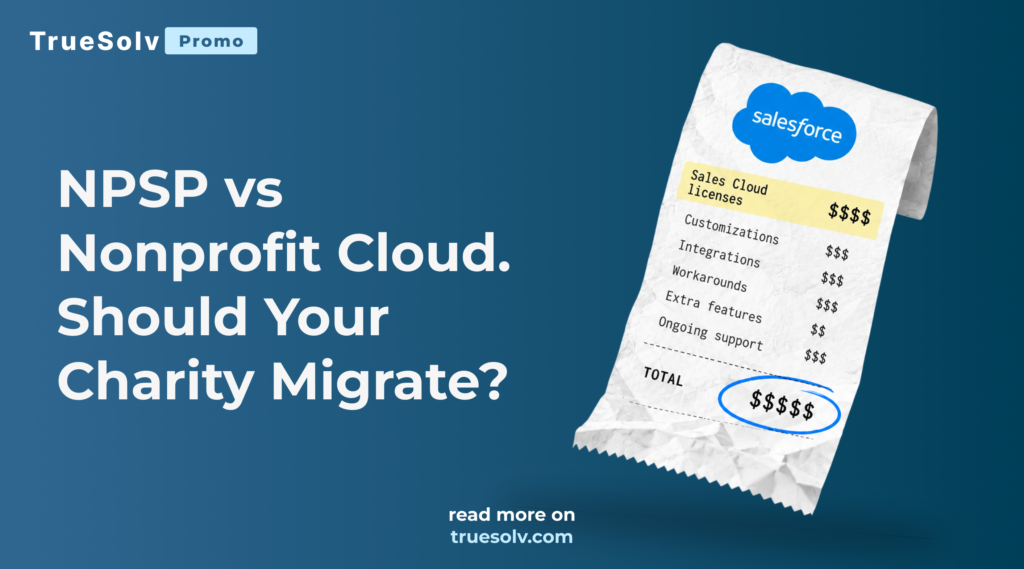
Sales Cloud NPSP packages custom add ons NPSP on Sales Cloud Nonprofit Cloud one native platform GIFTS PROGRAMS OUTCOMES Agentforce Nonprofit ? NPSP VS NONPROFIT CLOUD NPSP vs Nonprofit Cloud: a package on top of Sales Cloud, or one native platform. Still running NPSP on Sales Cloud? You are in very good company. Thousands of nonprofits built their Salesforce on it, and for many of them it still does the job. But here is the question worth asking this year. If you were choosing your Salesforce setup today, would you choose the same one? The NPSP vs Nonprofit Cloud decision is not about chasing the newest product. It is about whether the setup you designed years ago still fits how your organisation raises money, runs programs and reports to funders. Salesforce for nonprofits has changed a lot since most NPSP orgs went live, and the gap between “it still works” and “it still fits” gets wider every year. The same is true for Salesforce for charities in the UK. This guide gives you the full picture we could not fit into a LinkedIn post. You will see what actually differs between the two products, the five questions to answer before any migration, and an honest view of when staying on NPSP is the smarter call. What is the difference between NPSP and Nonprofit Cloud? NPSP, the Nonprofit Success Pack, is a set of managed packages installed on top of Sales Cloud that adds donations, households, recurring giving and relationships to a standard CRM. Nonprofit Cloud is Salesforce’s newer product for nonprofits, built directly into the core platform with its own native data model for fundraising, programs and outcomes. Salesforce now markets it as Agentforce Nonprofit, with AI agents built in, and you will see both names in Salesforce materials. The difference sounds technical, but it shapes everything else. NPSP adapts a sales tool for nonprofit work, so many nonprofit concepts live in custom objects, package settings and fields that were added over time. Nonprofit Cloud starts from nonprofit concepts. Gifts, commitments, designations, programs, beneficiaries and outcomes are part of the platform itself, and new features from Salesforce arrive there first. Salesforce continues to support NPSP, so nobody is being forced to move tomorrow. At TrueSolv we see the choice as a strategic one. It is about where your organisation wants to be in five years, and not about an urgent technical deadline. Area NPSP on Sales Cloud Nonprofit Cloud Foundation Managed packages on Sales Cloud Native to the Salesforce core platform Constituent model Household Accounts with Contacts Person Accounts with household groups Fundraising Opportunities used as donations Native gift transactions, commitments and designations Programs and outcomes Separate package or custom build Built in program, case and outcome management Product roadmap Mature and stable feature set Where new nonprofit and AI features arrive Best fit Standard fundraising that already works well Fundraising plus programs, outcomes and plans for AI Why “it still works” is not the same as “it still fits” Most NPSP orgs did not become complicated overnight. They grew one request at a time. A new grant needed a new field. A program team needed a tracker, so someone built a custom object. Finance wanted gift aid or receipting handled differently, so a flow appeared, then a second one to fix the first. Years later the org still runs, but only two people really understand why, and one of them is a consultant who left in 2022. None of this is a failure. It is what happens to every CRM that serves a growing organisation. The risk is that the cost of those workarounds is invisible, because it is paid in staff hours, slow reports and nervous moments before every Salesforce release, not in a single invoice. That is why we suggest starting with questions, not with a migration plan. Five questions to answer before you migrate 01💷What are you paying for today? 02🧩Which workarounds are you maintaining? 03✨What would actually improve? 04🧮What would migration really cost? 05⚖️Would switching leave you better off? 1. What are you paying for today? Start with the licenses you actually use. Many NPSP organisations pay for Sales Cloud users who log in once a month, keep add on products nobody opened this year or run separate tools for things Salesforce could already do. List every paid line connected to your CRM. That means licenses, add ons, integration tools, the email platform, the forms tool and support contracts. Then put the internal time spent keeping it all running next to it. That number, not the license price alone, is the real cost of your current setup, and it is the baseline any move has to beat. 2. Which customizations and workarounds are you maintaining? Open Setup and count the custom objects, flows, Apex classes and installed packages. Then ask a harder question about each one. Does it exist because the business needed something unique, or because NPSP did not have a native answer when it was built? The second group is where Nonprofit Cloud can simplify things the most. Program tracking, case management and structured gift commitments are typical examples. The first group, your truly unique processes, will need to be rebuilt in any new setup, and that is where most of the migration effort sits. 3. What would actually improve with Nonprofit Cloud? Be specific and be honest. “It is newer” is not an improvement. “Our program team could stop using a spreadsheet next to Salesforce” is. Good reasons we hear from nonprofits include a single view of donors, volunteers and beneficiaries, outcome reporting that funders keep asking for, fewer custom objects to maintain, and access to the AI and automation features Salesforce is building on the new platform. If you cannot name at least two concrete improvements for real teams, that is already an answer. Not sure how your NPSP org would compare? Book a free 30 minute call and get an honest view: migrate, or improve what you already have.
Lightning Web Component Best Practices for Adoption

The component works perfectly in the demo and then nobody on the team opens it after week one. Reps stop using a new Lightning Web Component for one of three reasons. It takes more clicks than the habit it was supposed to replace. It ignores how the team already works instead of fitting into it. Or it tries to do five things at once instead of one thing well. None of these are coding problems. All three show up before a single line of Apex or JavaScript gets written. Why custom components get built and then ignored A component usually gets commissioned after someone watches a rep struggle with a slow, multi screen process and thinks a custom screen would fix it. The build goes well. The demo gets applause. Then the component ships, and three weeks later the usage report shows four clicks in the first week and zero since. Too many clicks. A component that replaces one click with three fields, a dropdown and a confirm button has not saved anyone time, no matter how clean the layout looks. Ignoring existing habits. Reps already have a path they trust, even an ugly one. A component that asks them to abandon that path for an unfamiliar one needs to be clearly faster from the very first use, not just more elegant. No single clear purpose. A component trying to show account health, let someone log a call and update three fields at once usually does all three worse than three focused components would do separately. The planning step that happens before any code Before opening VS Code, write down the one task this component should make faster, in one sentence. Not a feature list. One sentence, one task, one measurable before and after. A sentence like reduce logging a support call from six clicks across three tabs to one click on the case record gives a developer something to build toward and something to test against later. A sentence like give reps better visibility into their accounts gives a developer nothing to aim at, and nothing to test when the thing ships. LWC ADOPTION / WHAT ACTUALLY GETS USED VAGUE BRIEF “Give reps better visibility into their accounts” Show account health score Let reps log a call inline Update three fields at once ! Three jobs, zero clear owner, nothing gets used One sentence ONE SCOPED TASK “Reduce logging a support call from 6 clicks across 3 tabs to 1 click on the case record” Next Step Saved inline, no new screen 1 click, same record, same tab Measurable before and after If it cannot be written in one sentence, it is not one component yet. The components that get used again tomorrow start from one sentence, not a wishlist. If the task cannot be written in one sentence, it is not one component yet. Split it, and build the one with the clearest, most frequent pain first. UI patterns that actually work inside Salesforce Salesforce has its own visual language, and components that lean into it get adopted faster than ones that fight it. A few patterns worth defaulting to. Keep editing on the record page, not behind a new screen Inline editing beats a modal for small, frequent changes. A field that opens into edit mode in place, saves, and shows a quick confirmation keeps a rep in the context they were already in. A full screen form for a one field update adds a navigation round trip that a rep will route around within a week. <template> <lightning-input label="Next Step" value={nextStep} onchange={handleChange} onblur={handleSave}> </lightning-input> <template if:true={showSavedToast}> <span class="slds-text-color_success">Saved</span> </template> </template> A field that saves on blur and confirms inline, no separate save button and no new screen. Use toast and inline messaging, not a blocking popup A toast that confirms an action and fades out respects the rep’s attention. A modal that demands a click to dismiss, for something that was not actually risky, trains people to click through it without reading, which defeats the point of a confirmation in the first place. Reserve a blocking dialog for the handful of actions that are genuinely hard to undo. Put the component where the task already happens A utility bar item or a Lightning page region on the record someone is already viewing gets used. A separate app or tab that requires navigating away from the record a rep is working on mostly does not, because it asks for a context switch for a task that used to need none. Design for the default state, not the empty state Most component demos get built and shown with ideal sample data. The real test is what a rep sees on a messy, ordinary Tuesday. A component that shows a wall of blank fields or an unhelpful empty state the first ten times someone opens it will get written off as broken, even when it works exactly as designed once data exists. Testing with real users before rolling out org wide A component that passed every unit test can still fail completely on first contact with a real rep, because unit tests check behavior, not instinct. Before a full rollout, hand the component to three to five people who do the job daily, not the admin who requested it and not the developer who built it. Watch rather than explain. If someone cannot find the button without being told where it is, the layout needs work regardless of how the logic performs. Time the real task against the old process, not against a stopwatch in a vacuum. The one sentence from the planning step is exactly what gets measured here. Ask what they expected to happen before telling them what actually happens. The gap between those two answers is usually the first bug report. Roll out to that same small group for a full week before opening it to everyone, since a problem that only appears on day four of real use never shows up in a thirty
AIforce and the Permission Cleanup It Just Made Urgent
📍 Part of our Dreamforce 2026 coverage — start with the full announcement recap Your sales team may never open a Lightning page again. 😳 At Dreamforce 2026 Salesforce introduced AIforce, and the login screen quietly stopped being the only front door to your CRM. That is mostly great news. It also means every forgotten permission set in your org is about to get a much louder voice. AIFORCE / PERMISSION EXPOSURE “Show me every renewal above $50K closing this quarter that also has open support cases.” ! Permission set from a 2019 pilot still grants View All on Cases Row 2 includes a case this rep was never supposed to see One plain question, one old permission set, one exposed answer — nobody broke in. What AIforce actually does AIforce is a live interface layer that sits on top of Agentforce, Data 360 and Customer 360. Instead of clicking through tabs and list views, people and agents reach Salesforce data and actions from the tools they already work in, starting with Slack and Claude. Interfaces can be composed by simply describing what you need, so a sales manager no longer waits two sprints for an admin to build a new dashboard. Salesforce designed it with trust at the center. Every request runs on your existing permissions and business rules, each agent sees only what the person asking can see, and every action routes back through Salesforce. There is no new permission model to learn. Why that last sentence matters so much Because AIforce reuses your permission model, it also reuses every shortcut hiding inside it. For years complexity worked as an accidental security layer. A rep who technically had access to a sensitive object rarely stumbled onto it, because finding it required the right report, the right list view and a bit of luck. Plain language removes that friction. One question in Slack and the data simply shows up. Picture a rep asking for every renewal above 50K closing this quarter that also has open support cases. If a permission set from a 2019 pilot still grants View All on Cases, the answer will include records that rep was never supposed to see. Nobody broke in. Your org did exactly what it was told. Before AIforce With AIforce Overexposed data was hard to find Overexposed data is one question away Admins built every view Users compose their own views Mistakes surfaced during audits Mistakes surface during conversations Cleanup could wait until next year Cleanup becomes urgent Five things to check before AIforce reaches your team 🔑Profiles and permission sets with View All or Modify All that nobody can justify today. 📋Sharing rules created for a single project years ago and never removed. 👥Public groups and role hierarchies that grew one exception at a time. 🔌Integration users with broad access and no clear owner. 🏦Field level security on truly sensitive fields like margin, compensation or personal data. Each of these takes an afternoon to review and a lot longer to explain after the fact. The good news is timing Salesforce is still finalizing AIforce pricing and packaging, which gives most orgs a comfortable window to get their house in order. Teams that use this window will enjoy the new interface from day one, while everyone else will be tempted to pause the rollout at the worst possible moment. Salesforce just gave your data a bigger voice, so make sure it only says what it should. Continue the series with meet the seven new Agentforce job ready agents, or see Salesforce Koa and the new multi model AI lineup. Dreamforce 2026AIforceSalesforce SecuritySalesforce AdminTrueSolv Share: LinkedIn Twitter / X Copy link In this article 01What AIforce actually does 02Why that matters so much 035 things to check 04The good news is timing Dreamforce 2026 coverage ← Full recap hub → You are here: AIforce & permissions Seven job ready agents Koa & multi-model AI Not sure what AIforce would expose? Book a Health Check focused on security and permissions before rollout. Book a Health Check → About the Author AR Anastasia RashkinaSalesforce Developer at TrueSolv
Dreamforce 2026 Announcements, Full Recap

More than 50,000 people came to Moscone Center, and over 122,000 more watched online. 🎤 Now the same question lands on every leadership team: what from all of that actually changes our Salesforce this year? We sorted the biggest Dreamforce 2026 announcements by the one thing that matters for planning — when they reach your org. The big picture in one paragraph Salesforce built the whole event around becoming an Agentic Enterprise and drew a clear four-layer stack. Data 360 holds data, metadata and memory. Customer 360 carries application logic. Agentforce runs the agents. On top sits the brand new AIforce, an interface layer that brings Salesforce data and actions into the tools people already use, starting with Slack and Claude, while keeping every existing permission and business rule in place. DREAMFORCE 2026 / THE STACK Slack Claude AIforce Interface layer, reaches Slack and Claude Agentforce, runs the agents Customer 360, application logic Data 360, data, metadata, memory Available now Beta or pilot Coming this fall Same permissions and business rules, all the way up the stack. Four layers, one architecture, reaching into the tools you already use. Available right now ✅ 🔀Multi Agent Orchestration is generally available, so several agents can pass work to each other instead of acting alone. 🤖Most of the new job ready agents are generally available, including Piper for inbound leads, Casey and Fin for service and customer experience, Carter for commerce, Marshall for back office and supply chain, and Paige for employee HR and IT requests. 🧠More model choice in Agentforce arrived with Amazon Bedrock models, plus Anthropic and NVIDIA models, available to Agentforce customers. 🗄Data 360 zero copy now reaches more AWS sources, including Apache Iceberg tables, Amazon Aurora, Amazon RDS and SageMaker Lakehouse. 📊Salesforce and Tableau inside Gemini Enterprise are live for Google Cloud customers. 📖The Well Architected Framework now has five pillars with an agentic lens, and it is probably the most practical free read of the week for architects. In beta or pilot 🧪 💬Salesforce in Claude is in beta on all paid Claude plans. 🧬Koa, the first Salesforce CRM reasoning model built together with NVIDIA, is piloting with select customers. General availability is expected in winter 2026 for US regions. 🔌Headless 360 MCP Server is in open beta, while the Data 360 MCP Server is already generally available. 🆕AIforce is officially announced, and Salesforce is still finalizing pricing and packaging. Coming this fall 📅 ⚙️Agent Optimizer is planned for October. 📣Campaign Agent is expected in Marketing Cloud Next Advanced by October 2026. 🎯Hunter, the outbound pipeline agent, is planned for general availability in November 2026. ☁️Hyperforce on Google Cloud is planned for general availability in North America in November 2026. 📞Agentforce Voice with Amazon Connect is due later this fall, and OpenAI models through Bedrock are on the way as well. Also worth knowing Salesforce kept growing its platform through acquisitions this year, with Contentful joining on September 1 and Fin, formerly known as Intercom, joining on September 10. That is also why one of the new customer agents carries the Fin name. What actually matters for a mid-sized org Big keynotes are built for every audience at once. A company with 50 to 500 Salesforce users usually needs only a slice of it, and this table shows where to look first. If your company is Focus on first Sales led with strong inbound demand Piper and a clean lead routing process Service heavy with a busy support queue Casey or Fin together with Multi Agent Orchestration Running on AWS or Google Cloud Zero copy data access and wider model choice Planning 2027 budgets right now AIforce readiness and a written AI model policy Three moves for this quarter 🔍Audit permissions and sharing. AIforce and every new agent run on the access you already have, so old shortcuts become visible much faster. 🎯Pick one workflow for one agent. Choose a process with a clear owner and a measurable outcome before anyone proposes a whole portfolio. 🧠Decide who chooses the model. With Koa, Claude, Gemini, OpenAI and Bedrock all on the table, write down which model runs which workload and where your data is allowed to go. This week we are breaking the biggest topics down in separate articles, starting with AIforce and permissions, then the seven new agents, then Koa and model choice. Start with AIforce and the permission cleanup it just made urgent, then see who’s on the roster in meet the seven new Agentforce job ready agents, and close it out with Salesforce Koa and the new multi model AI lineup. Dreamforce 2026 handed every Salesforce customer a bigger toolbox, and the teams that plan the first steps now will be the ones using it by spring. Dreamforce 2026SalesforceAgentforceSalesforce NewsTrueSolv Share: LinkedIn Twitter / X Copy link In this article —The big picture ✅Available right now 🧪In beta or pilot 📅Coming this fall —What matters for mid-sized orgs —Three moves this quarter Dreamforce 2026 coverage → You are here: Full recap hub AIforce & permission cleanup Seven job ready agents Koa & multi-model AI Timeline legend Available right now Beta or pilot Coming this fall About the Author ST Sergey TrusovCEO & Salesforce Architect at TrueSolv
Salesforce Integration Services, What the Work Involves
Sales lives in Salesforce, billing lives somewhere else, and someone spends every Friday afternoon reconciling the two by hand. That Friday afternoon reconciliation is the tell. Salesforce integration services connect the systems a team already relies on, billing, support, marketing, product data, so information moves automatically instead of getting copied by hand, and the person doing that copying gets their Friday back. SALESFORCE INTEGRATION / PROJECT STAGES Billing system 1 Data mapping 2 Sync architecture 3 Error handling 4 Sandbox testing 5 Monitoring Salesforce Real example, from our case studies Salesforce + Stripe, 6 weeks, renewals +28% Five stages between two disconnected systems and one live sync — mapping and architecture decided before anything is built. What disconnected systems actually cost The cost is not just the hour someone loses matching two spreadsheets. It’s the renewal risk that sits in a billing system for three days before sales ever sees it, or the field that gets mistyped during manual reconciliation and quietly feeds every report built on top of it afterward. A number that’s wrong on a Friday is wrong in every report pulled the following Monday, and by then nobody’s checking the original source anymore, they’re checking Salesforce. What a proper integration project actually involves 1Data mapping firstDeciding which system owns which field, and what happens when the two disagree, before a single line of integration code gets written 2Sync architecture chosen on purposeReal time API sync for anything time sensitive, a payment failure, a churn signal, and scheduled batch sync for anything that can wait a few hours, decided deliberately rather than defaulted to whichever is easier to build 3Error handling built in from the startThe other system will go down eventually, or send back something malformed, and a silent failure that nobody notices for a week is worse than a loud one that pages someone immediately 4Sandbox testing with data shaped like the real thingChecking both directions of the sync, not just the direction that was top of mind when the project got scoped 5Monitoring that continues after launchA sync that worked on day one and quietly stopped on day forty is the failure mode that costs the most trust, so something has to keep watching it What this looks like in practice TrueSolv connected Salesforce and Stripe for a UK fintech SaaS company in six weeks, syncing subscription and payment data directly onto Account records instead of leaving billing and sales to reconcile manually. Renewal rates rose 28 percent, and reconciliation time dropped by roughly three quarters. See the full Salesforce Stripe integration case study for the breakdown, from the discovery call to the churn alerts firing in production. A number that’s wrong on a Friday is wrong in every report pulled the following Monday. The fix isn’t a faster reconciliation process. It’s not needing one. Book an integration consultation through our contact form, and follow TrueSolv on LinkedIn for more Salesforce integration notes. Salesforce IntegrationSalesforce ConsultingCRM AutomationData SyncTrueSolv Share: LinkedIn Twitter / X Copy link In this article 01What disconnected systems cost 02What the work involves 03What this looks like in practice 5 project stages 1Data mapping 2Sync architecture 3Error handling 4Sandbox testing 5Monitoring Reconciling two systems by hand? Book a consultation to scope what connecting them would look like. Book a consultation → About the Author AS Anastasia RashkinaSalesforce Developer at TrueSolv
Dreamforce 2026, What to Expect September 15 to 17

Dreamforce returns to Moscone Center September 15 through 17, and this year the whole event is built around one idea, the agentic enterprise. Dreamforce 2026 runs September 15 through 17 at Moscone Center in San Francisco, with the full program also streaming free on Salesforce+ from September 15 through 18. The theme this year, Becoming an Agentic Enterprise, isn’t just a keynote tagline. It’s the lens the whole schedule of more than 1,600 sessions gets built around. DREAMFORCE 2026 / EVENT PREVIEW Becoming an Agentic Enterprise Moscone Center, SF Free on Salesforce+ 1,600+ sessions SEPTEMBER 2026 12-14 Bootcamp SEP 15 – 17 Dreamforce, on site SEP 18 Virtual extends Salesforce+ streams free, Sept 15 to 18 Opening keynote Tuesday Sept 15. TrueSolv covers the announcements the week after. One week, three days on site, one extra day to stream it free on Salesforce+. Quick facts In person, September 15 to 17 at Moscone Center, San Francisco, with a Trailblazer Bootcamp running September 12 to 14 beforehand. Free virtual access on Salesforce+, September 15 to 18, one day longer than the in-person event, with 400-plus sessions available live and on demand. Opening keynote Tuesday, September 15, historically where the year’s biggest product announcements land. What the theme means in practice Expect sessions organized around Agentforce 360, Salesforce’s unified platform bundling the Agentforce builder, Data 360, Customer 360 apps, and Slack into one connected stack. Less of the conference is going to be a single flashy agent demo this year, and more of it is going to be agents doing real multi-step work across sales, service, and operations at enterprise scale. Governance, observability, and adoption are set to get as much airtime as new features. What to actually watch if you’re not flying to San Francisco The opening keynote livestream on Tuesday is the highest value hour for anyone watching remotely. After that, the product-specific breakout recaps that surface over the following day or two tend to carry the detail the keynote skips, and the customer story sessions are where the actual deployment specifics, the parts that don’t make a highlight reel, tend to show up. Less of a single flashy agent demo this year, more agents doing real multi-step work across sales, service, and operations at enterprise scale. Governance and adoption get as much airtime as new features. TrueSolv will cover the biggest announcements the following week, so nobody has to sit through 1,600 sessions to find out what actually changed. Follow TrueSolv on LinkedIn and Instagram for Dreamforce coverage, and book a post-Dreamforce strategy call through our contact form once the announcements land. Dreamforce 2026SalesforceAgentforce AISalesforce CommunityTrueSolv Share: LinkedIn Twitter / X Copy link In this article 01Quick facts 02What the theme means 03What to watch remotely Dreamforce 2026 Sep 15–17 Moscone Center, San FranciscoBootcamp: Sep 12–14Free on Salesforce+: Sep 15–18 Want the announcements decoded? Book a post-Dreamforce strategy call once the news lands. Book a strategy call → About the Author AS Anastasia SokolovaSalesforce Developer at TrueSolv
HubSpot to Salesforce Migration, What to Prepare First
Most rocky HubSpot to Salesforce migrations fail on the field mapping nobody planned for, not on the data transfer itself. A HubSpot to Salesforce migration typically takes four to eight weeks for a straightforward setup, longer if the org carries years of custom properties and workflow automation. TrueSolv’s own migrations tend to land near that low end. A Series A SaaS company with 25 users moved over in four weeks with zero data loss and pipeline visibility up 40 percent afterward. What decides which end of that range a project lands on is preparation, not the transfer itself. HUBSPOT TO SALESFORCE / MIGRATION PATH HubSpot 1 Audit 2 Map fields 3 Dedupe 4 Sandbox test 5 Phased go live Salesforce 4 TO 8 WEEKS TYPICAL A 25-user Series A org moved in 4 weeks, zero data loss, pipeline visibility up 40%. Five checkpoints between HubSpot and a Salesforce org that’s actually ready — audit, map, dedupe, test, then go live. Audit the HubSpot data before anything moves Pull a full inventory of every custom property, workflow, and integration currently live in HubSpot. Flag which properties are actually in use versus abandoned years ago and never cleaned up. Check for duplicate contacts and companies that have built up over time. Note every HubSpot workflow that touches an external system, like billing or marketing automation, since each one needs a Salesforce equivalent before cutover. Map fields and objects on purpose, not by matching names HubSpot’s Contacts, Companies, and Deals don’t sit one to one on Salesforce’s Leads, Contacts, Accounts, and Opportunities, and deal stages rarely line up cleanly between the two platforms. A field like Lifecycle Stage in HubSpot might need to split across two or three Salesforce fields depending on how sales actually uses it day to day. This is the step most rushed migrations skip, and it’s where the rocky ones go wrong. Not in the data transfer itself, in the decisions about where each piece of data is supposed to live once it arrives. Deduplicate and clean up before the move, not after Migrating duplicates into Salesforce just starts the new CRM with the same mess under a new name. Run matching rules on the HubSpot export before load, email domain plus company name catches most of it, with phone number normalization for the rest. Decide on one source of truth for any field where HubSpot and another connected system disagree, and archive records that haven’t been touched in years instead of migrating everything on principle. Test the whole thing in a sandbox before it’s real Load a representative sample, or the full dataset, into a Salesforce sandbox first. Have the sales team run their actual daily workflow there, creating a deal, logging a call, pulling a report, before anyone touches production. Confirm that automation like assignment rules and email alerts fires correctly on migrated records. Mapping errors caught here cost nothing. The same errors found in production cost trust, and sometimes a deal. A phased go-live that doesn’t stop a deal mid-conversation 📦Move closed and historical data first, since nobody is actively working it ⏱Run HubSpot and Salesforce in parallel for open deals during a short transition window 🗓Cut active pipeline over in one scheduled move, often a weekend, so no rep loses a deal mid-conversation 🔒Keep HubSpot in read-only access for a defined period after cutover, in case something was missed 📢Tell the sales team the exact cutover time, so nobody logs a deal into the old system out of habit Four weeks is realistic. Eight is normal. Both numbers depend almost entirely on how much of this happens before the first record actually moves, not on how fast the transfer itself can run. Book a free migration consultation through our contact form, and follow TrueSolv on LinkedIn for more Salesforce admin and developer notes. Salesforce MigrationHubSpotCRM MigrationSalesforce ConsultingTrueSolv Share: LinkedIn Twitter / X Copy link In this article 01Audit the HubSpot data 02Map fields on purpose 03Deduplicate before the move 04Test in a sandbox 05A phased go-live 5 checkpoints 1Audit 2Map fields 3Dedupe 4Sandbox test 5Phased go live Planning a HubSpot → Salesforce move? Book a free consultation to scope the timeline before you commit to one. Book a consultation → About the Author AS Anastasia SokolovaSalesforce Developer at TrueSolv